MAC COMPANION / ANDROID INBOX
One command.
A little more freedom.
Keep your agent on the Mac.
Take the decisions to your phone.
# Your Mac does the work. You make the call.
gc startGroveChat / Mac companion
ready Local hook listener · 127.0.0.1:4318
ready Phone listener · pinned HTTPS
Agent → Scan pairing QR
Single use · expires in 10 minutes
Keep this terminal open. Waiting for phone pairing.
ON YOUR ANDROID
The decision, in your hand.
Synthetic demo requests in an earlier build. The app now has only Inbox and Connection.
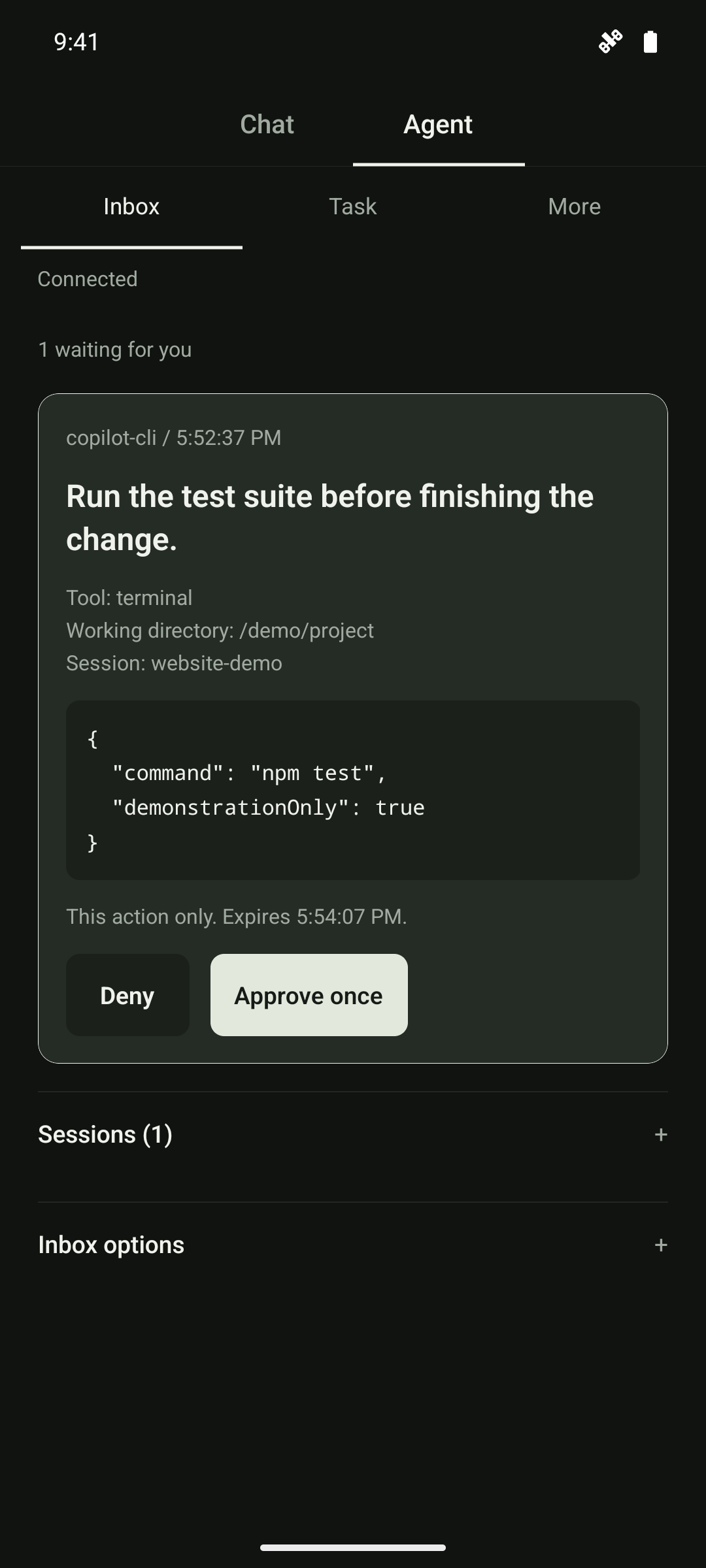
Know what you're approving.
See the exact command and context before making the call. Permission applies to this action only.
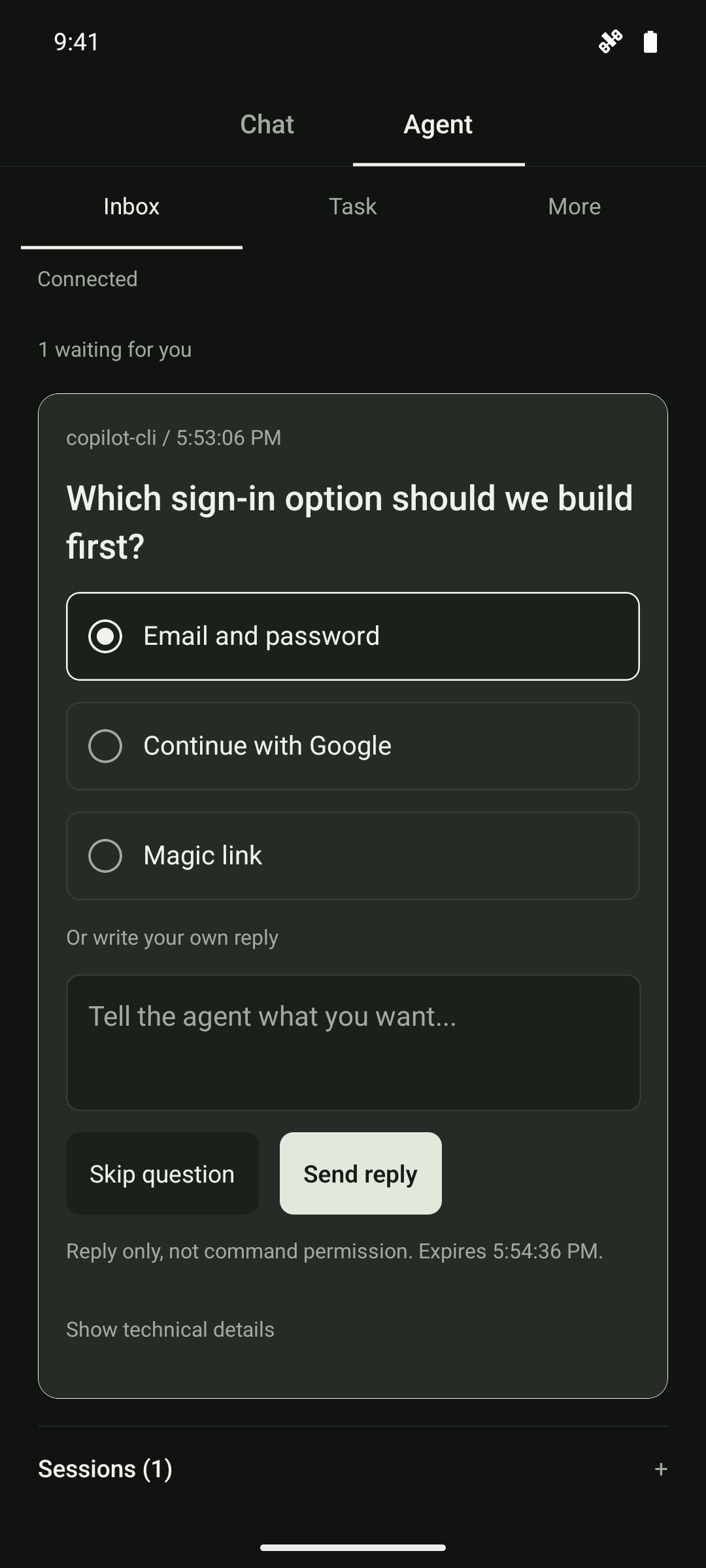
Keep the work moving.
Pick an option or write your own reply. Answers return as feedback, never as command permission.
A small command surface.
Choose a command to preview its output.
GET RUNNING
Less setup.
More getting on with it.
Homebrew manages the Mac runtime.
You use gc.
brew install local/grovechat/grovechatFor existing testers with the local tap already prepared. This command is not a public installation path yet. Read the requirements.
gc startOpen the Android app → Scan pairing QR. A separate Android build is required; no APK is distributed by this website.
Setup requirements and release availability
This is a product preview. The public repository contains this website only, not the Android app, companion source, or a Homebrew formula. Obtain a trusted development build and local tap from the project maintainer before following these commands.
Existing testers need an Android phone, the Mac companion, and the same mutually reachable Wi-Fi network. Start gc start on the Mac, scan its single-use pairing QR in the app, and confirm the identity. Keep the Mac awake and the companion running. Enable notifications under Inbox options.
Connect a supported agent by previewing its hook configuration, then explicitly install it:
gc hooks copilot /absolute/project
gc hooks copilot /absolute/project --install
Use claude-code or codex in place of copilot for those providers. Your agent must support, load, and trust the hooks. Reload it if required. Test with gc demo; this synthetic request never executes its displayed command.
gc start starts the service; it does not take over an existing desktop dialog or change saved session ownership. Use Use phone again in Inbox session controls to return future requests from a Mac-owned session to the phone.
Already paired from the source checkout?
Stop the old companion first. Use the same state directory to retain your pairing; do not run two companions on port 4318.
export GROVE_STATE_DIR="/absolute/path/to/GroveChat/.grove-agent"
gc start --workspace /absolute/path/to/GroveChat
grovechat remains supported. If your shell aliases gc to Git, use command gc start.
Bring your agent.
Claude Code / Copilot CLI / VS Code Local / Codex
Requires supported, trusted hooks configured per project. Installing the companion alone does not attach to an agent.
Your approval. Once.
Review the exact action on your phone.
Approve once immediately authorizes that request. Replies are feedback, not execution permission. Native policies still apply; host timeouts can fail open. Requests can expire, and Android may delay background alerts. Keep native permission checks enabled.